

TIME365 Version 2.0:
Smarter, Faster, Clearer
Smarter Workflows.
Better Control, Every Day.
TIME365 Version 2.0 brings powerful updates to both the Admin Portal and the Mobile App, focusing on better control, higher accuracy, and smoother workflows.
Administrators, managers, and employees now enjoy a modern interface, more visibility, and smarter approval processes, all while maintaining strong security and compliance.
Admin Portal:
Control at Your Fingertips.
The TIME365 Admin Portal gives administrators complete oversight and precision control over workforce operations. Manage beacons, configure reviewers, and set structured approval flows with ease.
From leave requests to shift validation, the portal ensures accuracy, transparency, and compliance, helping organizations run smoothly while reducing administrative workload.
Beacon Manager:
Location Accuracy Made Simple
Manage all beacons from one place and control who can use them for attendance tracking.
Benefit:
Accurate, location-aware attendance in real time.
Reviewer Role:
Clear Approval Responsibility
Assign reviewers who can approve or reject requests without giving full admin access.
Benefit:
Reduced admin workload and clear accountability.
Official Leave Approvals:
Flexible Policies
Set official leaves to require approval or auto-approve based on company rules.
Benefit:
Streamlined approval flow and policy compliance.
Work Assignment Approvals:
Smooth Operations
Enable or disable approval for official work assignments with structured flows.
Benefit:
Better planning and accountability for team tasks.
Approval Flow Tracking:
See Everything
All leave and assignment requests follow transparent Pending → Approved → Rejected flows.
Benefit:
Easy monitoring and compliance.
Shift Validation:
Accurate Permissions
Ensure all permissions match assigned shifts and working hours.
Benefit:
Reduced errors and precise attendance tracking.
Mobile App:
Smarter Tools in Your Pocket.
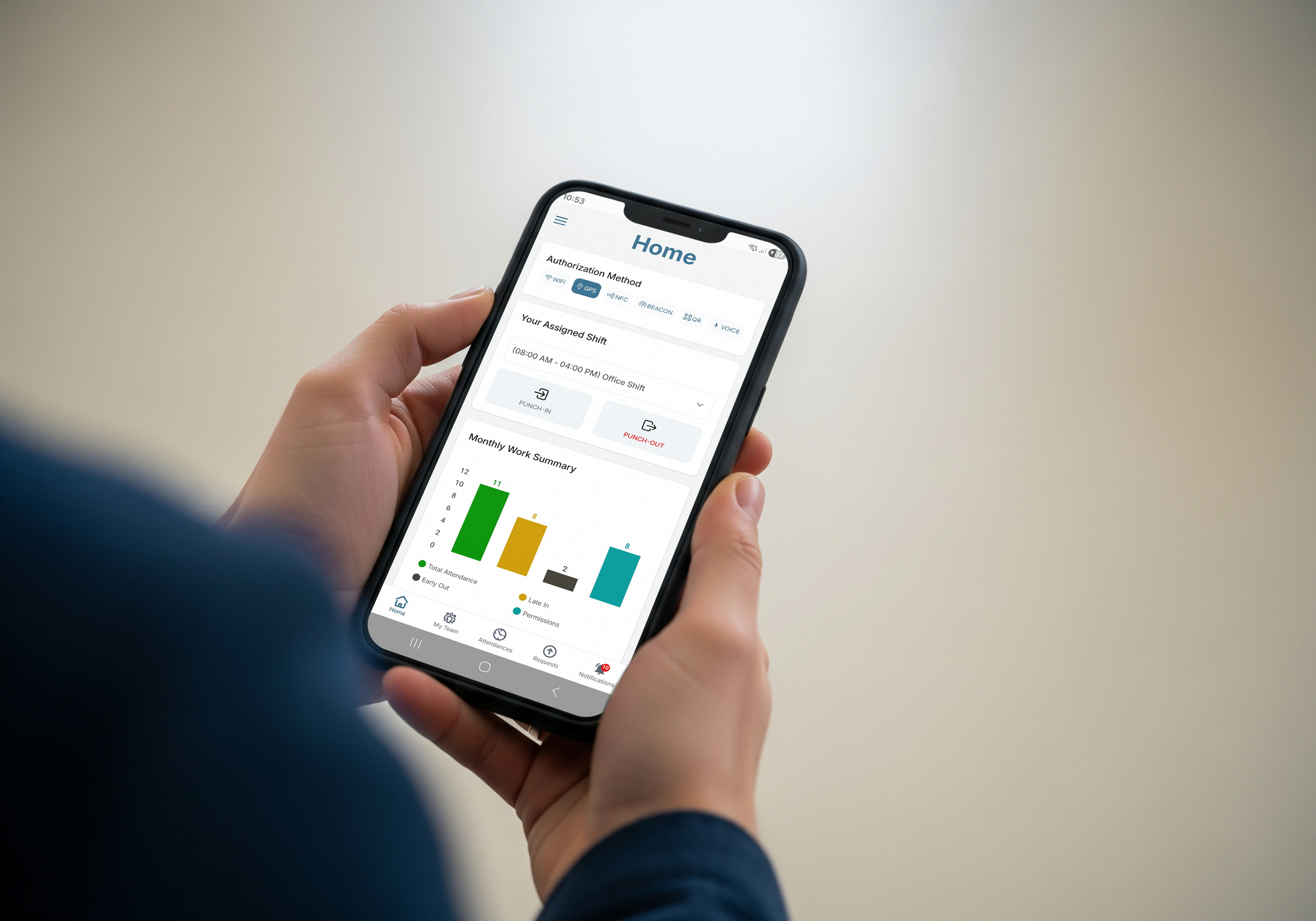
Discover how the TIME365 Mobile App puts essential tools right in your pocket. From checking attendance and shifts to submitting requests and approving tasks, everything is designed for speed, clarity, and convenience.
Managers and employees can stay connected and in control anytime, anywhere, with notifications, dashboards, and secure access at their fingertips.
Redesigned Interface:
Smarter, Faster
A clean, modern interface with intuitive navigation.
Benefit:
Quick access to attendance, leaves, and permissions.
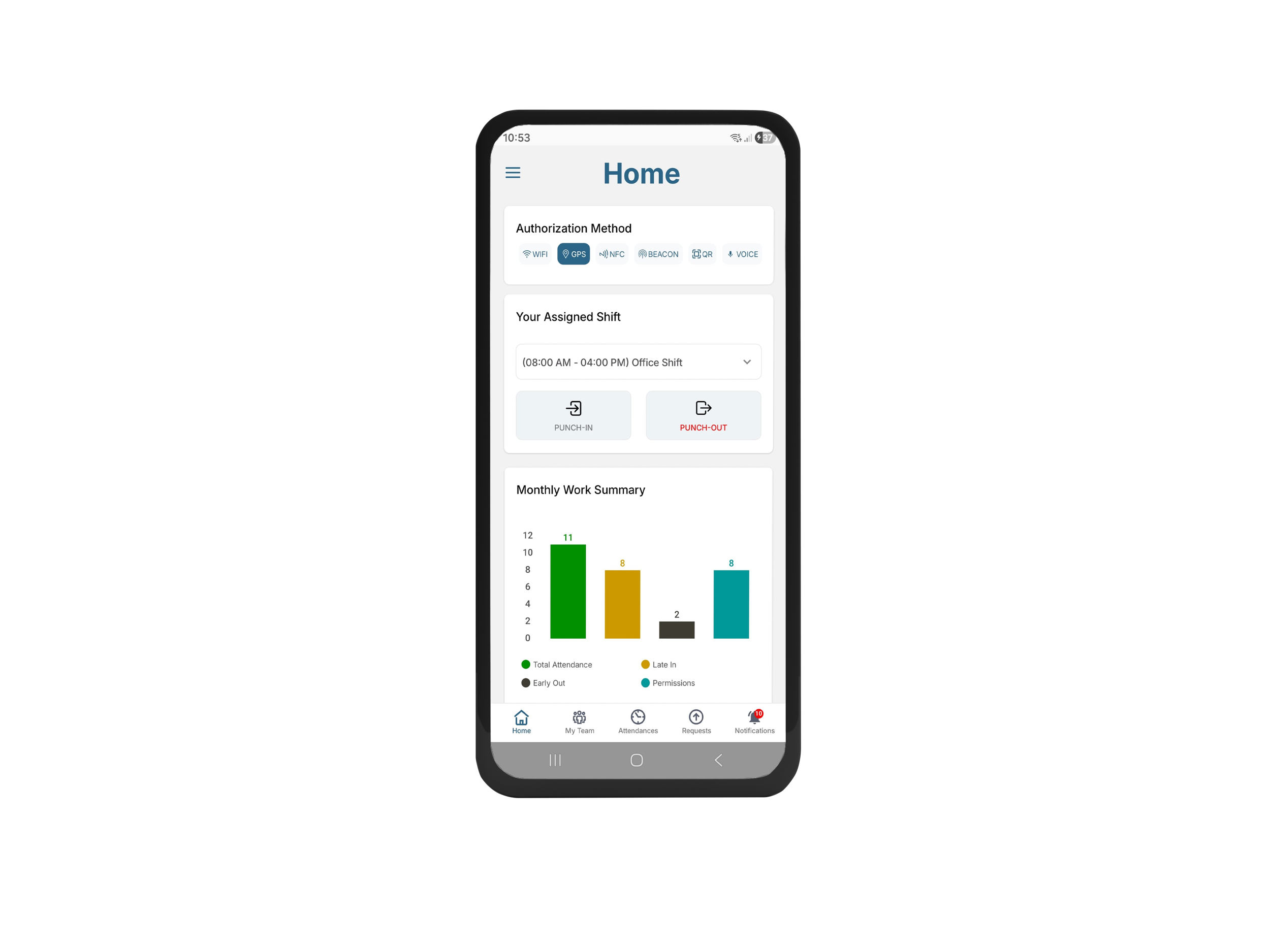
Home Dashboard:
Your Day at a Glance
Track shifts, announcements, and key actions directly from the home screen.
Benefit:
All important info in one place.
Attendance & Monthly Summary:
Visual Insights
See total attendance days, late arrivals, early exits, and permissions in clear charts.
Benefit:
Employees can track performance instantly.
Leave, Permission & Assignment:
Transparent Flow
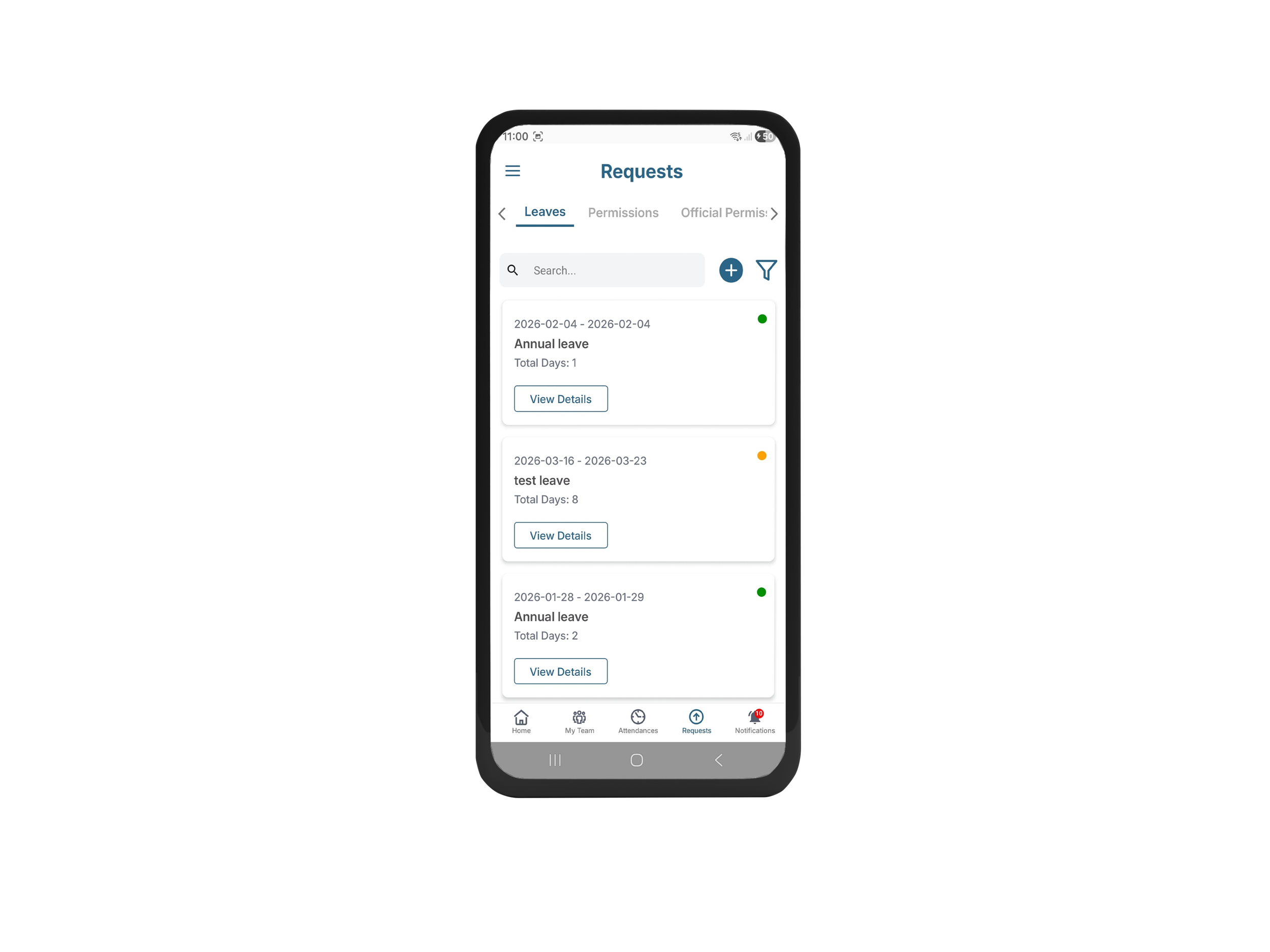
Submit and monitor all requests with clear status updates and history.
Benefit:
Easy, transparent management of approvals.
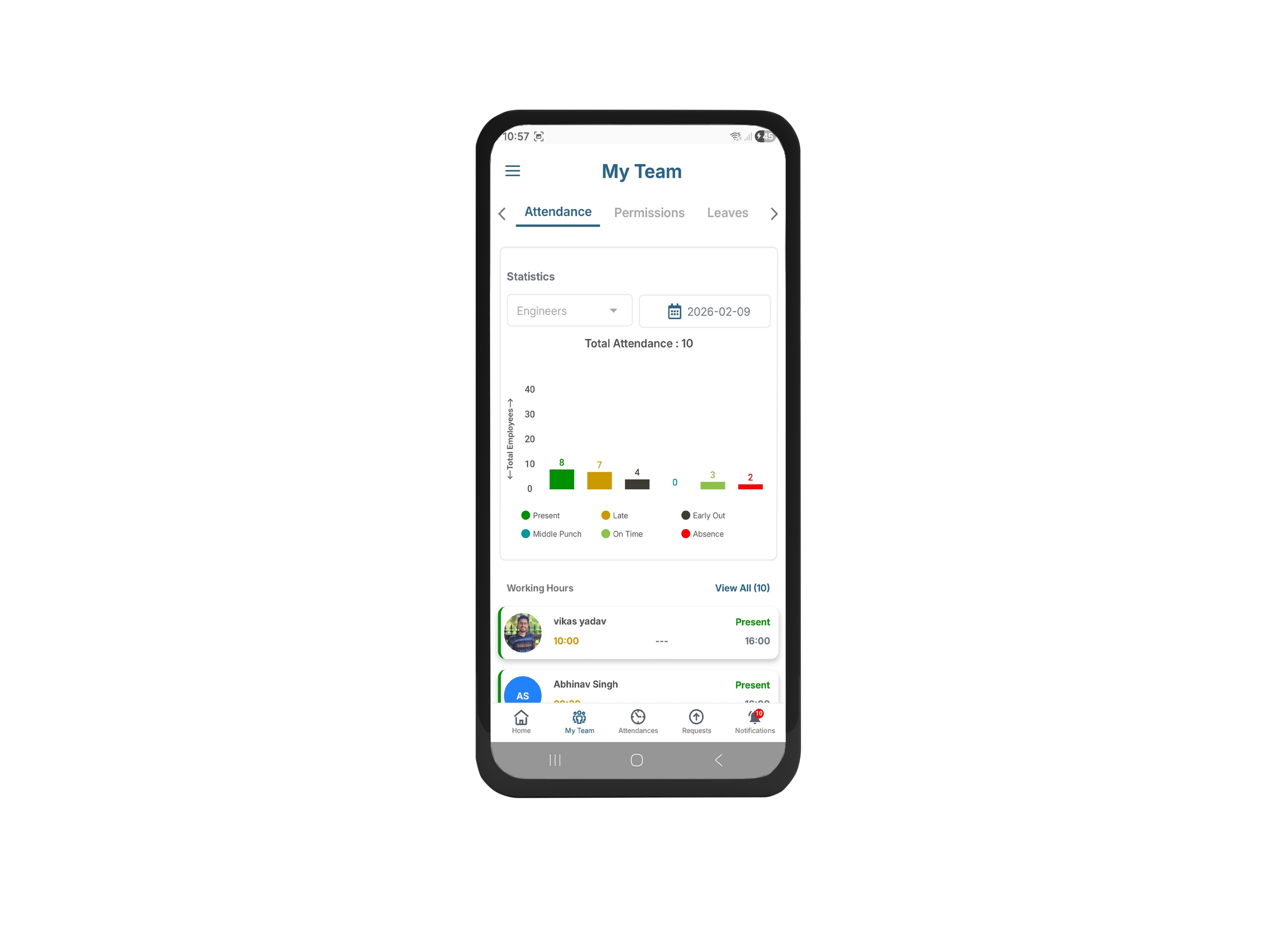
Advanced Manager Tools:
Control on the Go
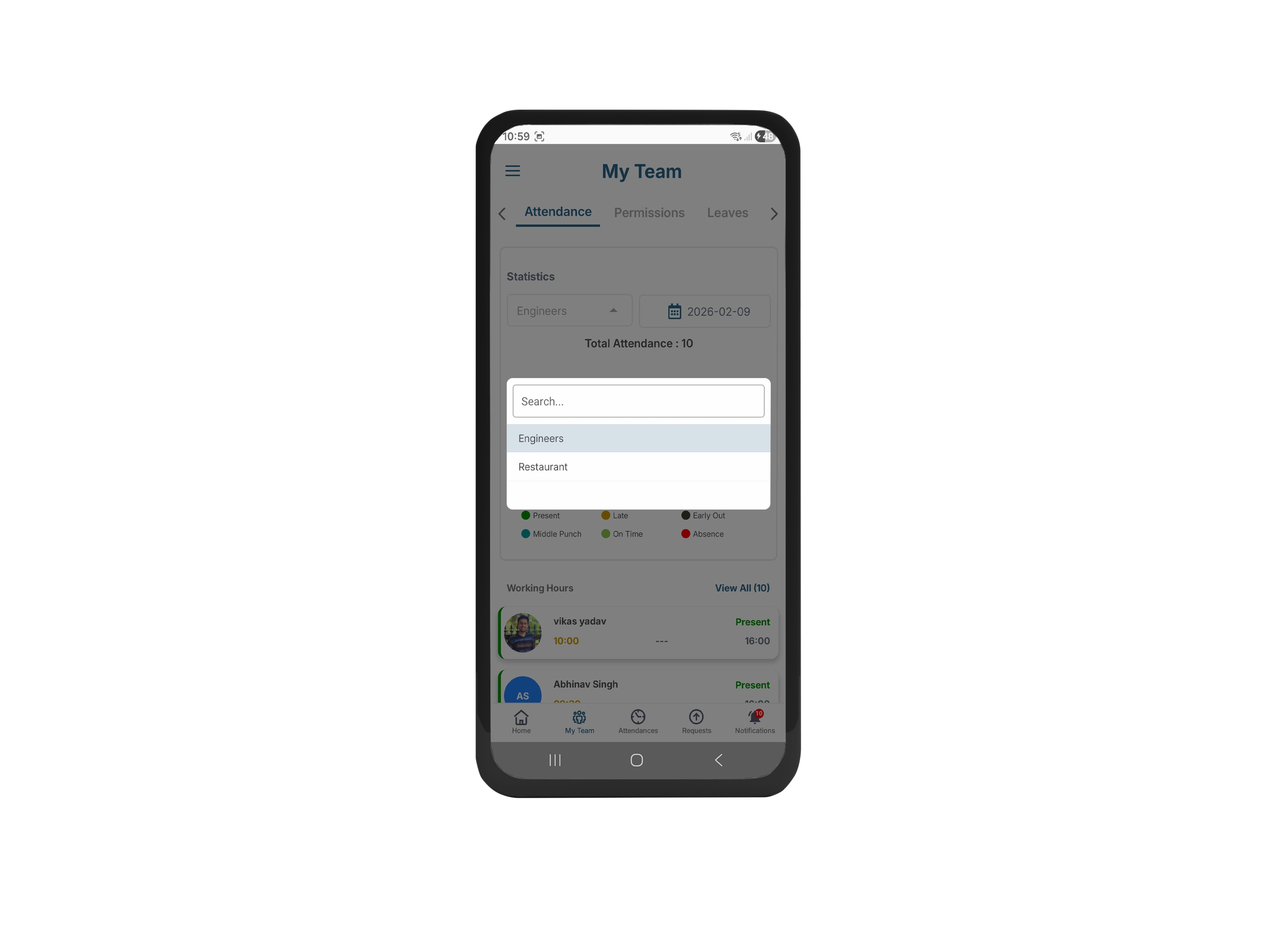
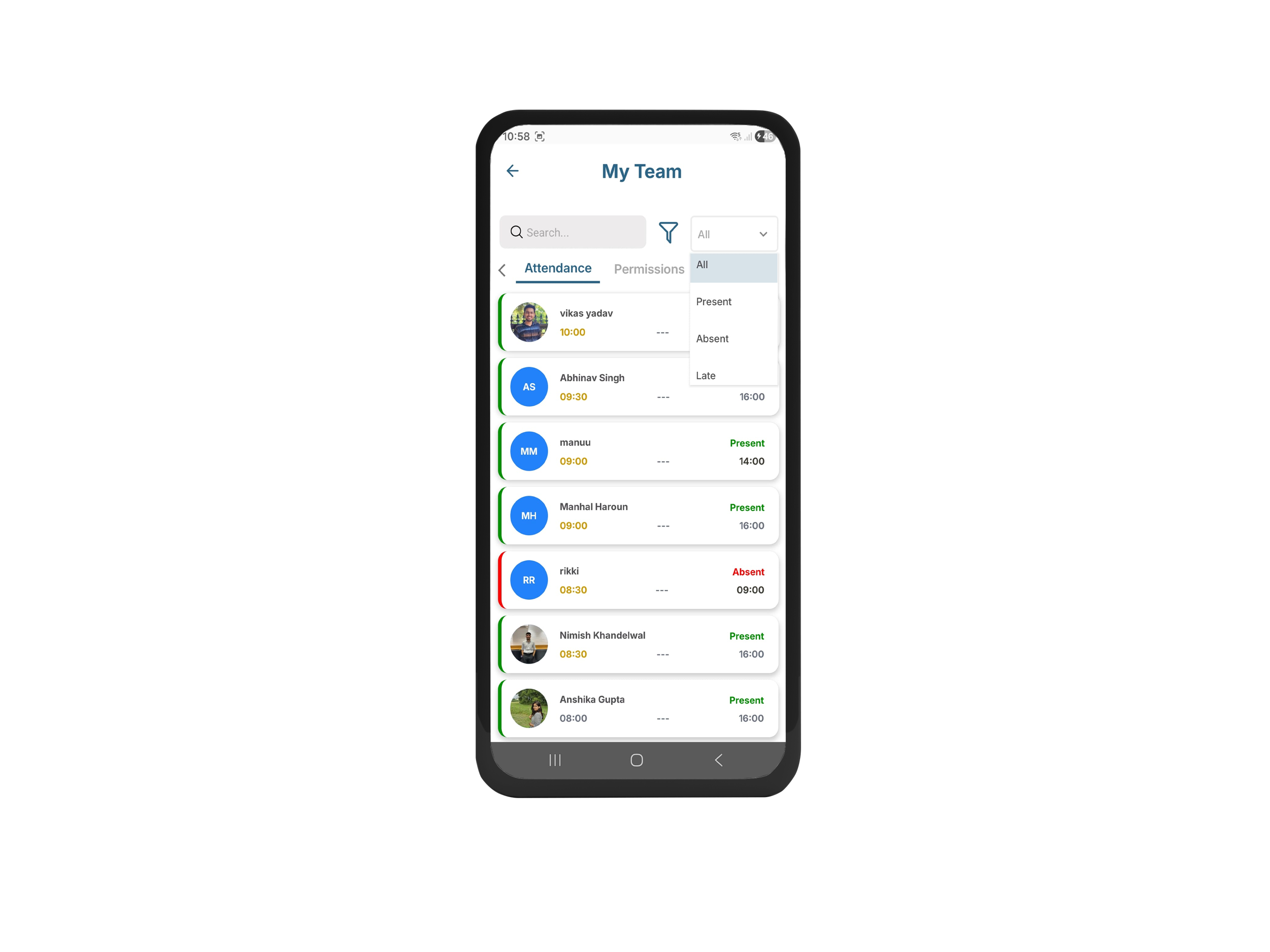
View team attendance, approve or reject leaves, permissions, and assignments anywhere.
Benefit:
Managers can act anytime, without waiting for the portal.
Notifications:
Never Miss an Update
Instant alerts for approvals, rejections, or new announcements.
Benefit:
Stay informed in real time, even when offline.
Beacon-Based Attendance:
Accurate & Secure
Only authorized beacons are recognized for attendance validation.
Benefit:
Reliable, location-aware tracking.
Security & Compliance:
Built-In Protection
Detect unsafe or manipulated devices, prevent misuse, and log events silently.
Benefit:
Fair, secure, and reliable attendance monitoring.
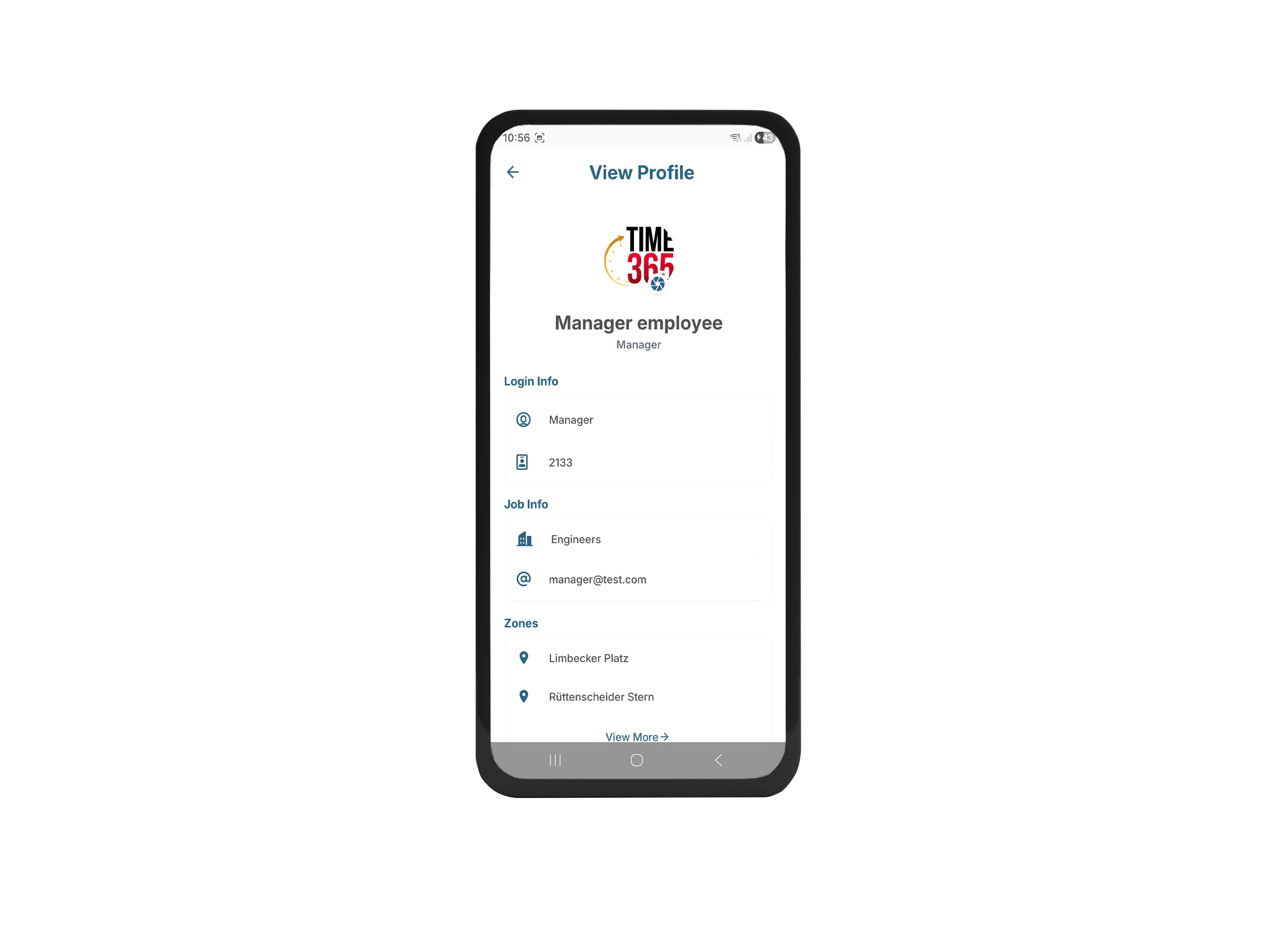
Role-Based Access:
Set Clear Boundaries
Employees see only their data; managers access team-level info as permitted.
Benefit:
Data privacy with proper governance.

Benefits for Your Business:
Efficiency You Can See
Operational Efficiency:
Streamlined workflows save time and reduce admin overhead.Managerial Control:
Better visibility into attendance, permissions, and requests for smarter decision-making.Data Accuracy:
Reduced errors in attendance and assignments ensures reliable reporting.Compliance & Security:
Role-based access and device monitoring strengthen governance.Employee Transparency:
Clear summaries and notifications improve trust and engagement.Scalability:
Designed to grow with your organization without complicating daily operations.
Watch the Demo:
Your Workflow, Visualized
Watch a short demo showcasing enhanced visibility, smoother workflows, and smarter management tools in both the Admin Portal and Mobile App.
For a detailed walkthrough or technical session, contact our expert support team.